Thursday, August 31, 2006

LeafPad - A Simple Text Editor

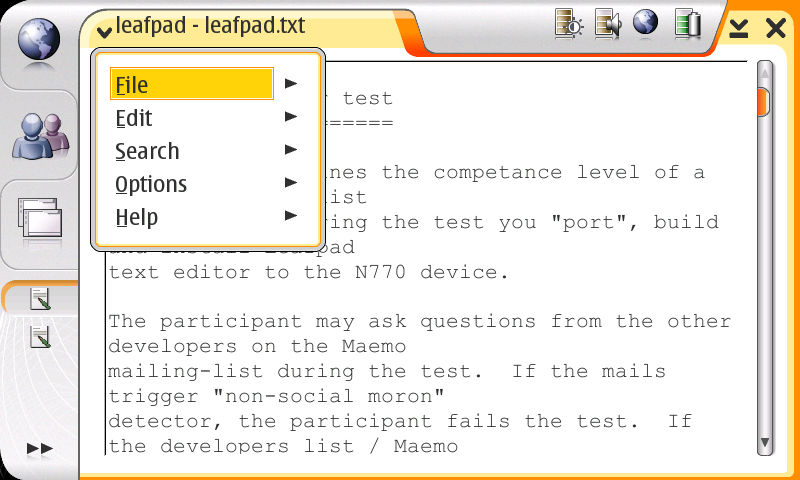
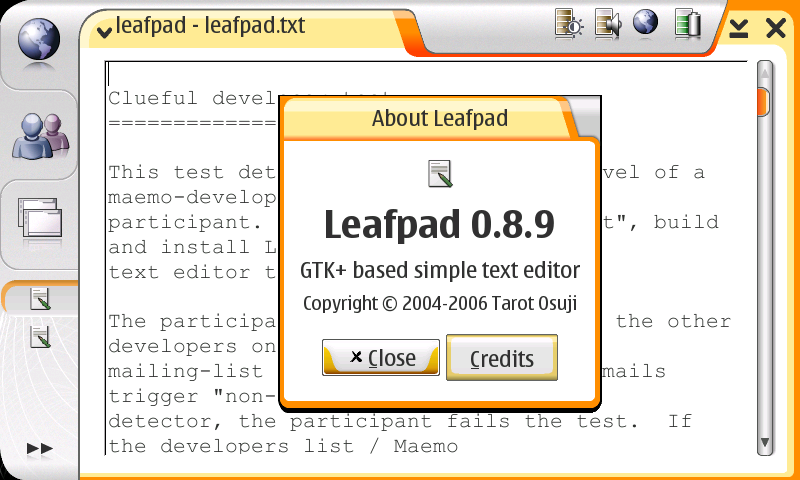
I decided to follow the competence test Eero proposed in maemo-developers list, and here is the final result:


Want to try it? Add the following to your application entry catalog:


Web Address: http://www.maemo.org.br/platform/apt
Distribution: mistral
Components: user


Now I want to know if I passed the test :).

Thursday, August 24, 2006

Time to have some fun

I spent some time helping my colleagues of INdT game team to port our games packages to Maemo 2.0. Now you can enjoy all these funny games:


Just add the following entry to your application catalog:


Web Address: http://marceloeduardo.com/apt
Distribution: mistral
Components: games


You will also need maemo.org repository:

Web Address: http://repository.maemo.org
Distribution: mistral
Components: free non-free


These packages substitute those ones Marcelo had annouced previously. Feedbacks are very welcome. Have fun!

Monday, August 21, 2006

Updated Evince package

I have just uploaded a new version of the Evince package fixing a crash people were complaining. So please refresh your package list and click on the "Check for updates" button in Application Manager main screen. The new version is 0.5.2-indt5. Many thanks to everybody who reported the bug.

Friday, August 18, 2006

Evince now with DJVU support

Some people asked me about adding DJVU support in Evince. Now it is done! Again, follow the instructions in my previous post if you do not have it installed yet. Otherwise, just refresh your package list and click on "Check for updates" button in application manager main screen.


Could somebody point me an interesting reading??

Thursday, August 17, 2006

Reading Comic Books With Evince

I have just uploaded some new packages to my repository and now we can enjoy reading comic books with our 770! Just add the entries as described in my previous post. If you already have installed Evince, refresh the package list and click on the "Check for updates" button in the application manager main screen.

Wednesday, August 16, 2006

Evince package for IT2006

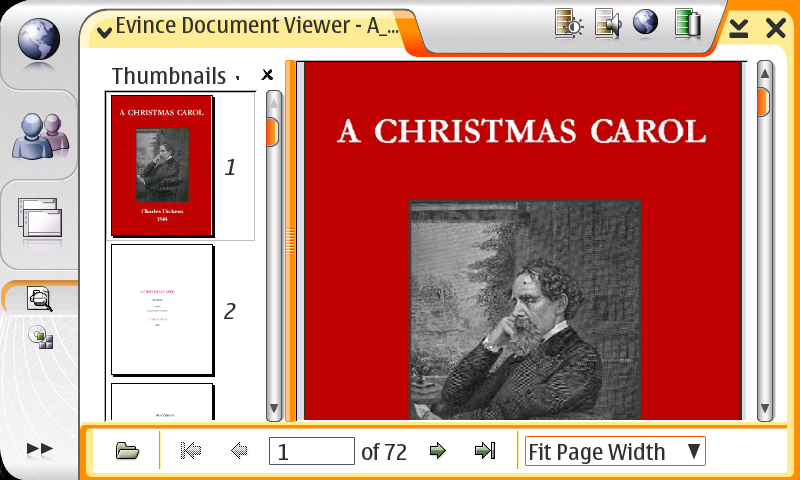
Yay! Just finished another port. It's Evince, the GNOME Document Viewer. This version only supports viewing PDF, TIFF and image files.

If you got interested, add the following entry to your application catalog:


Web Address: http://bgran.net/etrunko/apt
Distribution: mistral
Components: user


The package also needs libglade, which can be found in maemo oficial repository:

Web Address: http://repository.maemo.org
Distribution: mistral
Components: free non-free

Screenshots:


P.S.: I could not upload the packages to maemo.org.br repository. Maybe the service is down. I'll try to do it tomorrow.

Monday, August 7, 2006

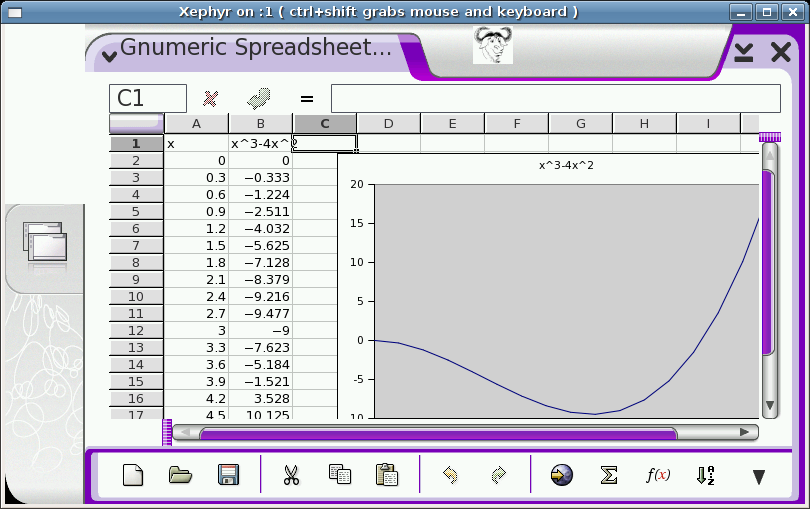
Gnumeric Spreadsheet Packages Available

It is done! Hurry up and add the following repository to your application catalog:


Web Address: http://maemo.org.br/platform/apt
Distribution: mistral
Components: user

Alternatively, you can add following repository (this one will be deactivated soon):

Web Address: http://bgran.net/etrunko/apt
Distribution: mistral
Components: user

Mandatory Screenshot:

Thursday, August 3, 2006

We're Almost there!

Pictures are worth more than 1000 words.


Friday, July 28, 2006

SIP with Tapioca

After the release of Tapioca for Nokia 770, there have been a lot of discussion, specially on #maemo, about the status of SIP on the UI and the interoperability with another clients. There is a page at Tapioca Wiki explaining the current state of this supoort in the framework. A small quotation:


The main issue that has yet to be solved for full interoperability with other SIP clients is Media traversal trough NAT environments. That means that you can connect (establish a session) to other clients, but you will not be able to make Voice Calls to anyone.


I am currently working on adding support to other kinds of accounts, including SIP, besides Google Talk ones. I hope to have it working along with SIP support on Tapioca.

Thursday, July 27, 2006

Updated Xournal Package

After seeing Denis Auroux released a new version (0.3) of Xournal, I ran to update my patches and build the fresh packages for the Nokia 770. If you already have it installed, just refresh your list of packages and then click on the "Check for Updates" button. Otherwise, just follow the instructions of my previous post.

Check the changelog.

Friday, July 21, 2006

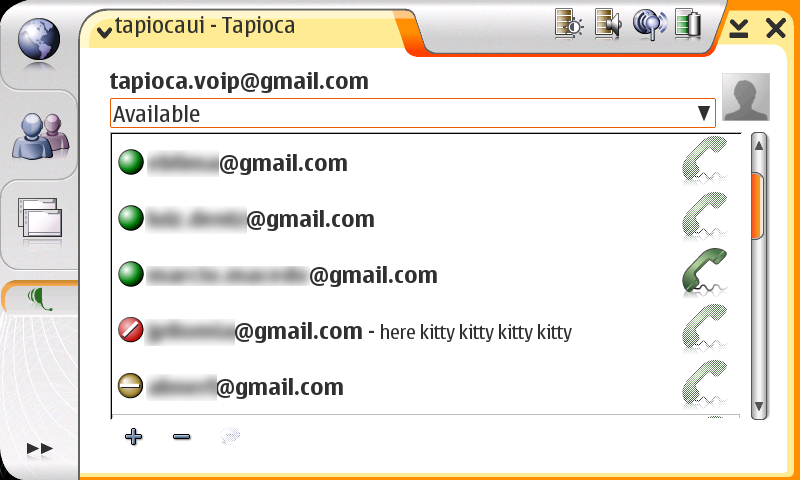
Tapioca VoIP UI Available for Nokia 770

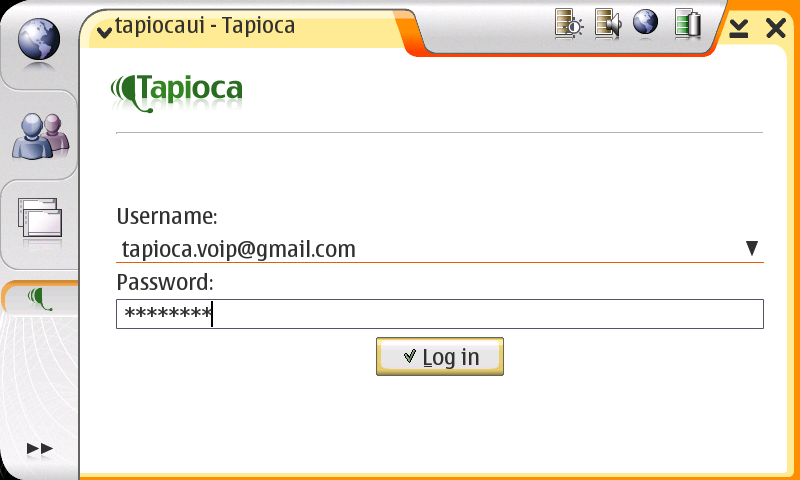
In the last few weeks, I have been helping Tapioca guys to port the demonstration UI to Nokia 770. Now it is available! Some Screenshots:

Login Window


Buddy List


Chat Window


If you want to try an alternative to the built-in GTalk, add the following entry to your application catalogue list:

Web Address: http://maemo.org.br/VoIP/apt
Distribution: mistral
Components: main


Comming Up Next:
  • Support to many kinds of accounts, not only GTalk ones.

  • SIP Support

  • Avatar Support

  • Retrieve buddy information

  • Edit your own information


Feedbacks are very welcome.

Wednesday, July 19, 2006

Xournal Package for IT2006

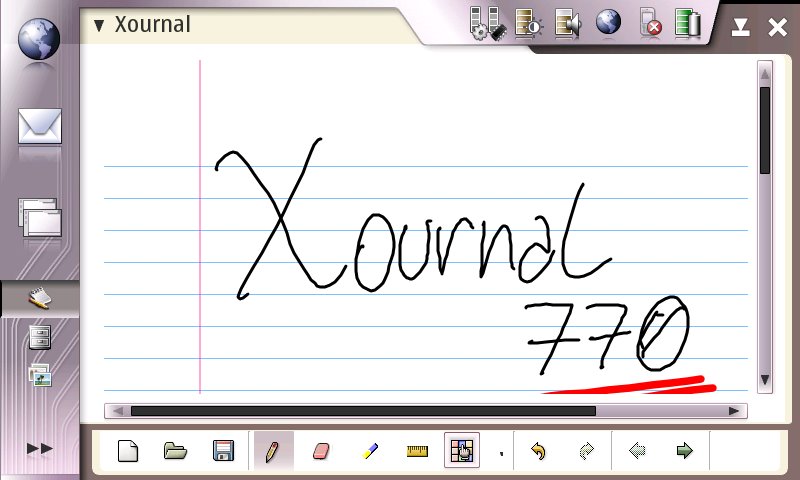
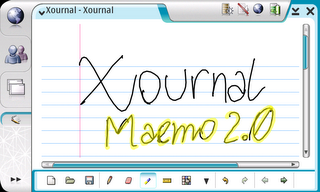
Restarting the port of applications to Maemo 2.0, I have decided to start from the easiest one in order to get contact with the new Hildon API. So I present you the Xournal package for IT2006.


To try it, add the following entry to your application manager:


  • Web Address: http://bgran.net/etrunko/apt

  • Distribution: mistral

  • Components: user

The performance has improved a *lot* since the package built for the IT2005. As usual, building the debian package took longer than hacking the code itself. It still depends on libgnomeprintui which will be downloaded automatically from the same repository.

All source and -dev packages are also available in the repository. If you want to try hacking on the source code add the following lines to your /etc/apt/sources.list inside the scratchbox (i386 and armel) environment:

deb http://bgran.net/etrunko/apt mistral user
deb-src http://bgran.net/etrunko/apt mistral user

Have Fun!

P.S.: I apologize for my awful handwriting ;).

UPDATE:
For those who are missing libglade dependency, please add the maemo repository entry to you application manager:

Web Address: http://repository.maemo.org
Distribution: mistral
Components: free non-free
Monday, July 17, 2006

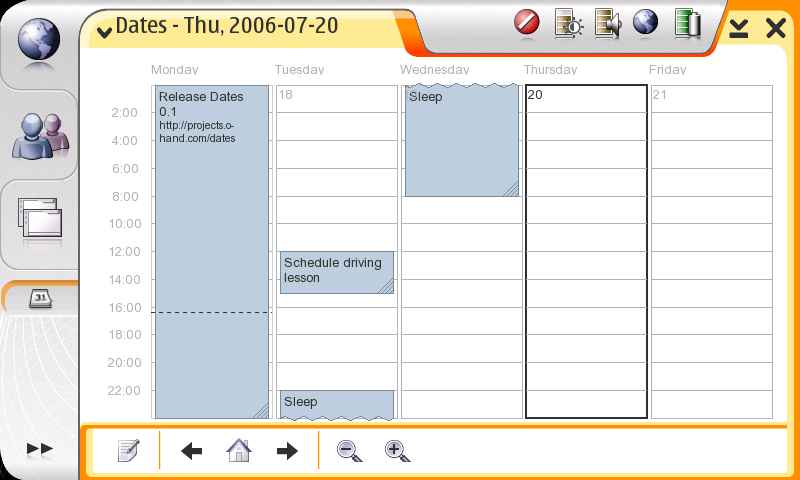
Dates for Nokia 770

Chris Lord has just announced the first release of Dates, a calendar application.

Screenshot:


If you want to try it, add the following to your application catalog:

Web address: http://maemo.o-hand.com/packages
Distribution: mistral/ (Yes, the slash is needed!)
Components: (Leave it blank)

Thursday, May 25, 2006

Happy Birthday!


Time goes really fast!!! It has been a year since the announcement of Nokia 770 Internet Tablet and Maemo platform. Congratulations to everyone who have contributed and worked hard to build the community and make the platform grow to what it is now. Although there were some detours, I think we are building our road in the right direction and there is a lot more to come :).

Also, I'd like to celebrate my first year in Recife. It has been a little bit more than a year since I have moved from Brasília looking for new challenges in my professional carreer. Before beeing hired to work at INdT I had been working for almost 4 years in a governmental institution, where I had the chance to develop various OS/2 and Linux applications. It was my first job and I must say that I had learned a LOT over there, thank very much to Jeovânio, Rômulo, Alessandro, Cezar, Marcio, Jorge and many others.

So, I have left a lot of friends and family people in Brasília and decided to come to Recife by myself to focus my work on Free Software and Open Source World. Although living far far away from home (about 2.500 km) and missing the contact with my family closest friends, I don't regret my decision. I enjoy the life in Recife, which is a very good and beautiful city, besides being huge and having all the problems it has. I have met a lot of people including my beautiful and lovable girlfriend, Wanessa. It's been 10 months since we met, and thank to her I knew a lot of places and made new friendships too.

Finally, I'd like to thank very much my family that have always been supporting me, my old and new friends (specially Wanessa), my co-workers and finish with some words I have learnd from uncle Jack from Dallas: "Work hard, Play hard and Party hard". Lets celebrate!

Friday, March 24, 2006

Xournal package for 770

As promissed, last weekend I did a quick hack on xournal code and ported it to Maemo platform. I've been somewhat busy lately and I have found some time to build the package for 770 only yesterday.

Xournal is a great application, it fits perfectly on 770, but unfortunately its performance on the device is far from acceptable. Iván Frade has sent some emails to the author, Denis Auroux, and since yesterday the project is hosted by sourceforge. From now on we can help developping and improving xournal. If you want to help, don't hesitate to join the project.

Some screenshots taken from the 770:

Normal mode


Fullscreen mode


The package ready to install using the application installer and it is available here. Don't forget to install libgnomeprintui dependency. Have fun!

Monday, March 20, 2006

Want a GoogleTalk alternative for Linux? Try Tapioca VoIP!


INdT VoIP team is proud to announce the new release of the Tapioca VoIP solution.

  • About Tapioca

  • Tapioca is not yet another SIP client, like linphone and many others. The framework is extensible and at this moment, SIP and Jabber (XMPP) protocols are supported. A description can be found at Tapioca Wiki main page:
    Tapioca is a framework for Voice over IP (VoIP) and Instant Messaging (IM). Its main goal is to provide an easy way for developing and using VoIP and IM services in any kind of application. It was designed to be cross-platform, lightweight, thread-safe, having mobile devices and applications in mind.

  • What's new?

  • With this new release, Tapioca has become the first free Linux client that includes full support to Google Talk voice and P2P interoperability library, the libjingle. All you have to do is to sign in with your Gmail username and password using tapiocaui client. It will automatically retrieve your contact list, and then you will be able to start a text/voice chat with any of your contacts.

Finally, if you want to try Tapioca, follow the installation instructions and enjoy a lot. Bug reports are very welcome.

Friday, March 17, 2006

Coming up next....

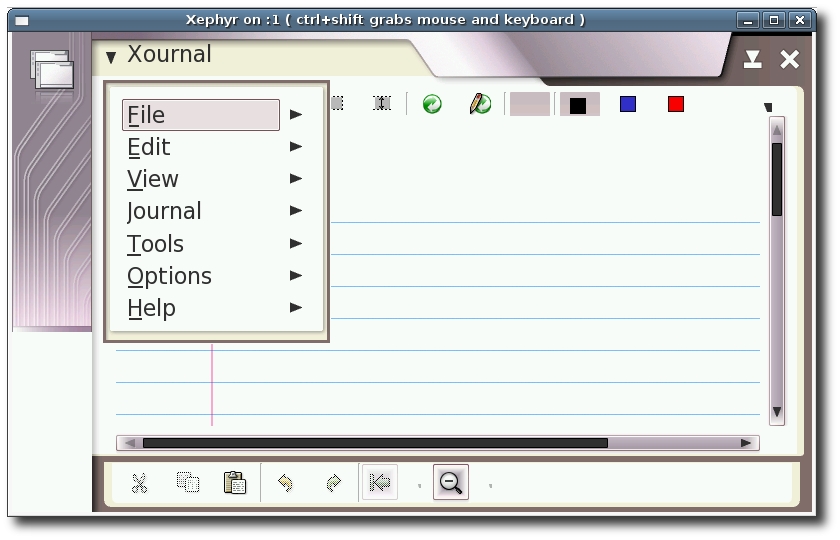
Well, i've got really excited by tigert previous post and started a quick hack on Xournal. I will work more on it this weekend and I hope to have some good news by Monday. The result will be something like this:

Monday, March 13, 2006

About libgnomeprint packages for Maemo

Well, it's been quite some time that people ask me about the sources of libgnomeprint for Maemo platform. I thought it would be a better idea if I wrote a post about it, like a HowTo. This way it can benefit everyone interested in porting applications, specially GNOME apps, that depends on this lib. With some few commands and we have the packages ready-to-install in Maemo platform. The packages were generated using Ubuntu Hoary.

  1. Set up the environment
    First of all we need to create a new directory somewhere in our home to store the sources. For this example it was named 'projects'.
    edulima@dosmtc19:~$ mkdir projects
    edulima@dosmtc19:~$ cd projects
    edulima@dosmtc19:~/projects$

  2. Find libgnomeprintui dependencies
    For this task we use the following command outside scratchbox:
    edulima@edulima:~/projects$ apt-cache depends libgnomeprintui2.2-0
    libgnomeprintui2.2-0
    Depends: libart-2.0-2
    Depends: libatk1.0-0
    Depends: libc6
    Depends: libglib2.0-0
    Depends: libgnomecanvas2-0
    Depends: libgnomeprint2.2-0
    Depends: libgnomeprintui2.2-common
    Depends: libgtk2.0-0
    Depends: libpango1.0-0
    Depends: libxml2
    Depends: zlib1g
    edulima@edulima:~/projects$

    The dependencies marked with a strike are the ones already installed in Maemo platform. One alternative to find out which are these packages is to execute some 'dpkg -S' commands inside scratchbox.


  3. Download the sources
    Having the package dependency list, we use another 'apt' command:
    edulima@dosmtc19:~/projects$ apt-get source libgnomeprintui2.2-0 > libgnomeprint2.2-0 libgnomecanvas2-0 libart-2.0-2
    Reading package lists... Done
    Building dependency tree... Done
    ... (after some time)
    edulima@dosmtc19:~/projects$

  4. Copy the 'projects' directory inside scratchbox
    An easy way to do this is to copy the directory to /tmp first, start scratchbox and then copy the directory from /tmp.
    edulima@dosmtc19:~/projects$ cd ..
    edulima@dosmtc19:~$ cp -r projects/ /tmp/
    edulima@dosmtc19:~$ scratchbox
    ...
    [sbox-1.1: ~] > cd projects
    [sbox-1.1: ~/projects] >

  5. Build the packages
    We have to follow the dependency order here. For this example, is the order is libart-lgpl-2.3.17, libgnomecanvas-2.10.0, libgnomeprint-2.10.3 and finally libgnomeprintui-2.10.2. Following this order, we just cd to each one of these directories and then type a 'dpkg-buildpackage' command, for example:

    [sbox-1.1: ~/projects] > cd libart-lgpl-2.3.17
    [sbox-1.1: ~/projects/libart-lgpl-2.3.17] > dpkg-buildpackage -rfakeroot -us -uc -D
    ...

    Each package will be created inside the 'projects' directory.


  6. Finally, install the packages
    After generating all the packages you can install them using the old and well known dpkg command:
    [sbox-1.1: ~/projects] > fakeroot dpkg --install *.deb

  7. That's it. If you are interested in gnomeprint packages but do not have much time to reproduce all the steps above, I have uploaded the packages I built for i386 and arm targets to my web space. Download them here.

Friday, March 3, 2006

Tetringo

Christian Hammond have released a package of his Tetringo game, which is a Second Life Tringo clone. I have not tried it yet, but he said "the game is fairly addicting" and there are plans to release a multiplayer version of the game. For now we have the chance to practice while we wait for the multiplayer version.


He had also updated the Application Catalog in Maemo wiki. Have Fun!

Wednesday, February 15, 2006

Fresh Evince Package Available

Hi everybody,

As promissed, I have just released a new version of evince package, and this one is the smallest package ever. First of all, as we don't need libgnomeprintui anymore, we save about 2794 KB. Second, I have generated only the dictionaries supported by the device. With this we saved about 885 KB. Total memory saved: 3679 KB. Cool!!! :D

But the most attractive and coolest feature in this version is that you are able to scroll the document using the stylus, just like you do when you use Browser and the default PDF reader.

So for these reasons I strongly recommend you to to download and install this new version. And don't forget to uninstall libgnomeprintui package, unless of course, you have gnumeric installed.